
Skip to content
IT Leader Company Logo
  • Services

    Overview

    Find every technology solution your organisation needs under one roof – with simplified, per-user pricing for all managed services.

    Learn More
    • IT Support
    • Managed Backup Solutions
    • Managed Firewall
    • Cloud
    • Cloud Migration
    • MS 365 Solutions
    • MS 365 Signature Management
    • MS 365 Migrations
    • Cyber Security
    • Cyber Security Audit
    • Cyber Awareness Training
    • Email Security
    • Endpoint Security
    • Essential Eight
    • UC / Voice
    • PBX
    • MS 365 Teams
    • Internet
    • NBN
    • IT Consulting
  • Industries

    Overview

    IT isn’t one-size-fits-all. Learn how our industry-specific expertise can help deliver the right outcomes for your organisation.

    Learn More
    • Manufacturing
    • Professional Services
    • Transportation
  • Resources
    • Blog
    • Knowledge Centre
  • About
    • About Us
    • Technical Capability Summary
    • Careers
  • Support
    • Support Options
    • Remote Support
    • New User Form
    • Exit User Form
  • Get In Touch
Get In Touch

Home - Managed Services - Windows 7 End of Life Support & Warranty of Computers

Windows 7 End of Life Support & Warranty of Computers

  • Last Updated: 4 September 2025
ITL Logo Icon

Written By

IT Leaders

duncan-profile-image

Written By

Duncan Croker

Loading...
Loading...

Table of contents

Table of contents

Times Running out on Windows 7 End of Life Support!

End of Support for Microsoft Windows 7 on the 14th of January 2020 will be a critical time for many businesses as Microsoft will no longer be providing critical updates to any security flaws found in the Operating System. Unless you are running legacy software that requires ancient Operating Systems to run, you should definitely be looking at Upgrading to Windows 10 (if your hardware is recent and still under warranty) or planning a series of rolling desktop laptop replacements to get up to date.

As a standard, a computer should be purchased with 3-year warranty, sometimes it’s included, other times it’s an add on. This warranty ensures you will get prompt service if any hardware fails in your system and avoids expensive repair work. (if the faulty part can even be found individually).

It is good practice to look at a scheduled replacement of your computer equipment every 3-4 years after the warranty has expired on the device(s).  This ensures you have the fastest machines possible to enhance staff performance, reduces downtime & increases security due to technology and software advancements that are pushed out very regularly.

  • 3-4 year – 10% chance of hardware failure
  • 4-5 year – 60% chance of hardware failure.
  • 5 year + – 90% chance of hardware failure.
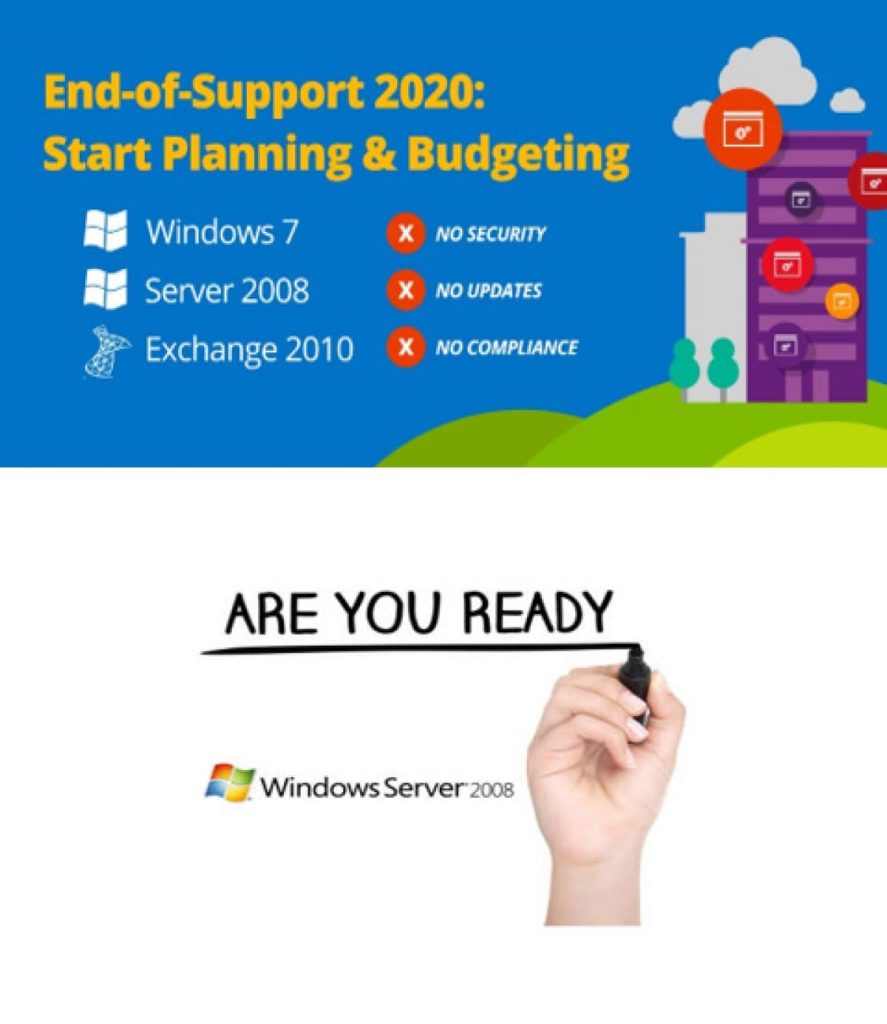
Windows 7 End of life Support

Time to consider upgrading your Computer Equipment

This shows that replacing a computer at the 3-4-year period provides the least downtime for you in case of hardware failure and the possibility for emergency data recovery is more likely to be successful.

Any computer that has Microsoft Windows 7 (or older) currently installed should be replaced or upgraded as soon as possible. They pose a significant security risk to your data and network.

As a Microsoft partner, IT Leaders can provide “Extended Support” direct from Microsoft if we feel your use case warrants this paid service. If you are operating any legacy software that requires the use of Windows 7, please reach out to us to discuss your options.

Are you Procrastinating About Windows 7 End of Life?

Let IT Leaders help you with upgrading your IT infrastructure today!

Call Now

Written by

Loading...

Written by

duncan-profile-image

Duncan Croker

Content Strategist

Linkedin

Duncan Croker specialises in taking technical products and services to market. He has covered the IT space since 2021, focusing on cyber security and Teams telephony.

Linkedin

Reviewed by

Loading...

Related Articles

View All Posts
Loading...
Cloud
private and hrybrid cloud

What Are the Benefits of Private Cloud and Hybrid Cloud?

Find out what private cloud and hybrid cloud are and why many organisations choose to deploy in non-shared environments.
Cloud
Cloud Storage Trends of 2022 - cloud computing solutions for your business

The Latest Cloud Storage Trends to Watch in 2022

Top Cloud Storage Solutions To Help Your Business One area of cloud computing that is widely used, but often isn’t...
Cyber Security
Microsoft Defender for Office 365 - IT Leaders

Protect Your Business with Microsoft Defender for Office 365

Bolster your company's security Defences with Microsoft Defender for Office 365 If you fall victim to phishing, you can lose...

Make the Switch

Talk to us to find out how changing IT providers could give your business the competitive edge it needs.
IT Leader Company Logo
  • service@itleaders.com.au
  • 1300 596 560
  • 07 5628 3260
  • 3/42 Lawrence Drive, Nerang QLD 4211
  • 8:30 am to 5 pm AEST, Monday to Friday
Linkedin-in Facebook-f

Services

  • Managed IT Services
  • Cloud Solutions and Infrastructure
  • Cyber Security and Compliance
  • Unified Communications and VoIP
  • Business Internet and Network Services
  • IT Consulting and Digital Transformation

Industries

  • Manufacturing
  • Professional Services
  • Transportation

Our Company

  • About Us
  • Technical Capability Summary
  • Careers
  • Contact Us

Resources

  • Blog
  • Knowledge Centre

Support

  • Remote Support
  • New User Form
  • Exit User Form
  • Support Options
  • © 2026 IT Leaders
  • Privacy Policy
  • Terms of Service
  • Terms of Use